![[转载][支持Folia]NMinimap|原版也能用的小地图!!](/data/resource_icons/16/16337.jpg?1777684626)
- 版权类型
- 转载
- 插件中文名称
- NMinimap
- 插件英文名称
- NMinimap
- 支持的核心(服务端)
- Spigot
- Paper
- Folia
- Purpur
- PufferFish
- Leaves
- 适配版本(Java)
- 26.x
- 1.21
[MD]
# NMinimap
基于核心着色器的服务器端小地图
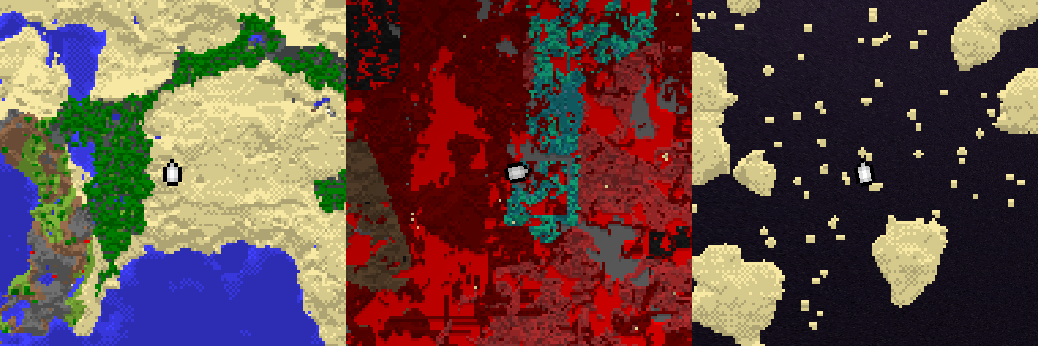
### 功能特点
* 圆形或方形小地图
* 无限自定义标记点
* 屏幕侧边选择(左侧或右侧)
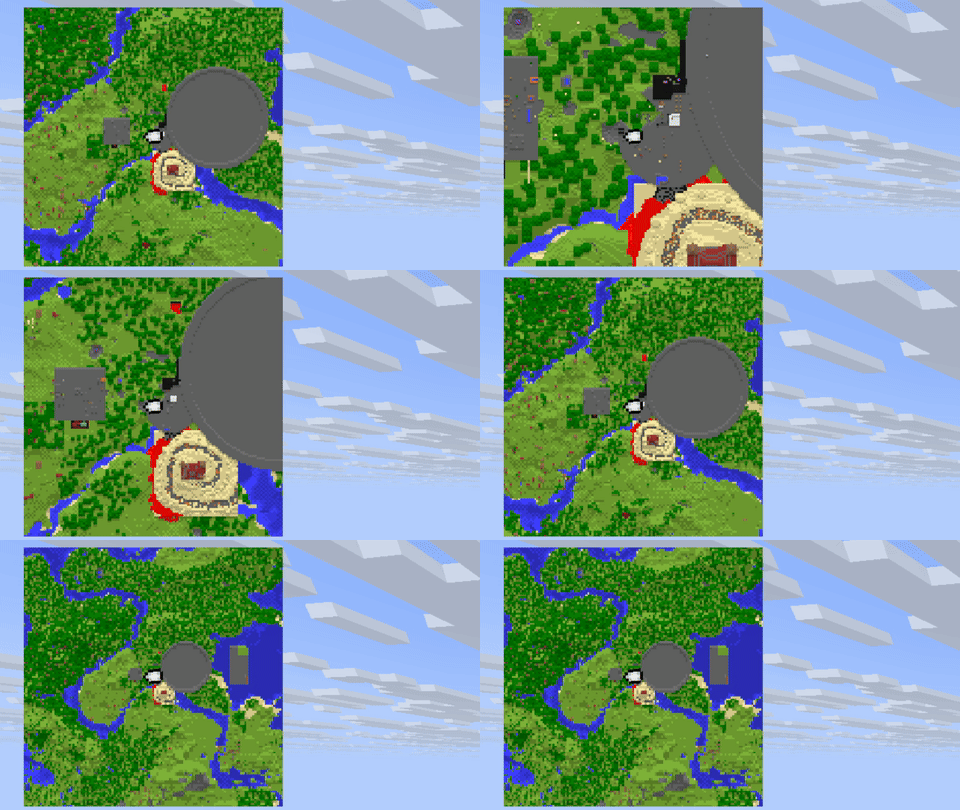
* 地图缩放比例从1倍(1像素=1方块)到8倍(1像素=8x8方块)
* 尽可能异步运行
* 地图尺寸 127 x 127 像素
* 自动生成资源包
### 支持的服务器平台
* [Papermc](https://papermc.io/software/paper/)
* [Folia](https://papermc.io/software/folia/)
* [Spigot](https://www.spigotmc.org/)(有[诸多限制](#running-on-spigot))
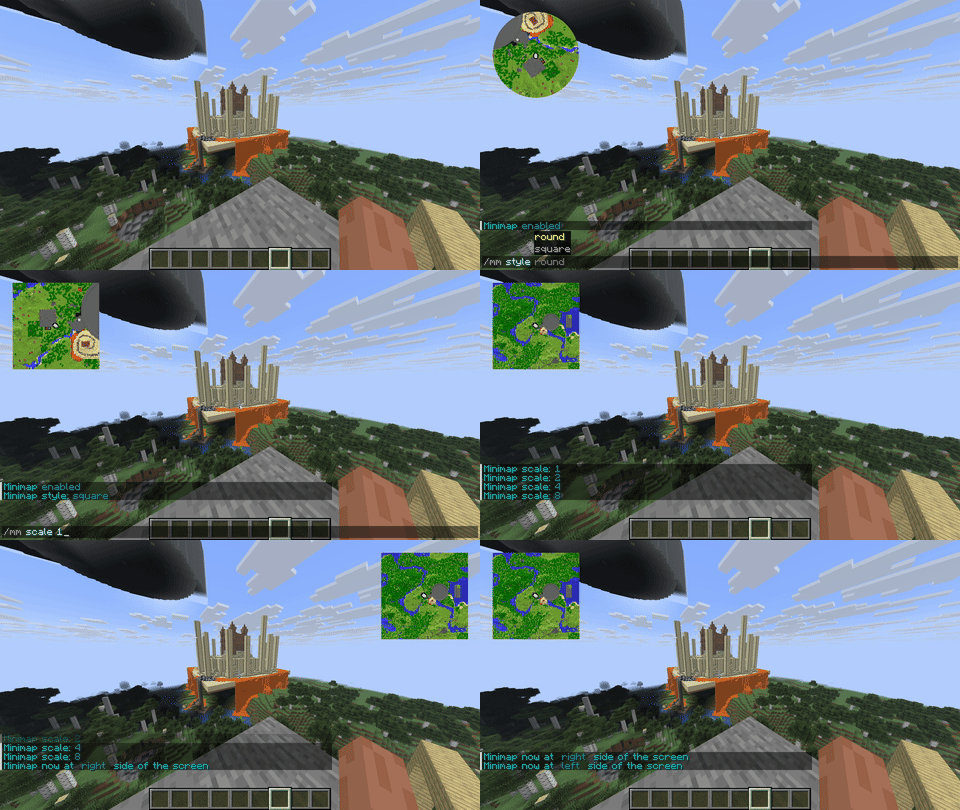
### 效果展示
### 依赖项
* [AnvilORM](https://github.com/NezuShin/AnvilORM/releases/)
* [Packet events](https://www.spigotmc.org/resources/packetevents-api.80279/)
* [PassengerAPI](https://www.spigotmc.org/resources/passengerapi-entity-passenger-bug-fixes-more.117017/)(可选;用于与其他插件兼容)
* [PlaceholderAPI](https://www.spigotmc.org/resources/placeholderapi.6245/)(可选;如果你需要占位符)
### 安装步骤
* 安装所有[依赖项](https://modrinth.com/#dependencies)
* 从发布页下载jar文件,放入服务器的plugins目录
* 重启服务器
此外,你可以配置 [PackMerger](https://www.spigotmc.org/resources/packmerger.132700/) 或 [Resource Pack Manager](https://www.spigotmc.org/resources/resource-pack-manager.118574/) 来合并和分发资源包
### 权限节点
* `nminimap.admin` - 使用`/minimap admin`命令的权限
* `nminimap.scale.1/2/4/8` - 使用`/minimap scale`命令的权限(在配置中启用后生效)
* 其他小地图命令无需特定权限即可使用
### 管理员命令
* `/minimap admin reload` - 重载配置
* `/minimap admin stats` - 获取统计信息
### 用户命令
* `/minimap scale 1/2/4/8` - 设置地图缩放比例。1 - 每像素对应1方块,2 - 每像素对应4方块(2x2区域),以此类推
* `/minimap side left/right` - 设置地图显示在屏幕左侧或右侧
* `/minimap style round/square` - 设置地图为圆形或方形
* `/minimap disable/enable` - 禁用或启用地图
### PlaceholderAPI 占位符
#### 玩家相关:
* `nminimap_enabled` - true 或 false
* `nminimap_scale` - 1, 2, 4, 8
* `nminimap_side` - right 或 left
* `nminimap_style` - round 或 square
#### 统计相关:
* `nminimap_stats_loaded_tiles` - 内存中加载的区块图数量,数字
* `nminimap_stats_cache_size` - 所有缓存区块的总数,数字
* `nminimap_stats_enabled_maps` - 当前正在使用地图的玩家数,数字
* `nminimap_stats_threads` - 插件当前运行的线程数,数字
### 标记点
标记点本质上是带有特殊标记的字体图片,因此有相同限制:
* 不支持动画。但你可以通过API在每次AsyncMarkerRenderEvent调用时替换为另一张图标
* 纹理尺寸限制为 256 x 254 像素(额外两列用于标记)
* 注意,大量大尺寸图片会显著拖慢资源包加载速度
添加标记点时,将你的图片放入`markers`目录,然后输入`/minimap admin reload`。新的资源包将会生成
你可以通过增大图片尺寸但保持纹理内容不变来让图片显示更小,就像默认的`player_small`标记那样
### 兼容性
#### 核心光影包与其他插件
插件使用了`rendertype_text`光影包,因此用于HUD或文字装饰的光影包可能不兼容。大多数插件中,你必须为NMinimap禁用文字装饰
已为BetterHUD提供[补丁光影包](https://github.com/NezuShin/NMinimap/blob/master/betterhud-patching.md)。如果你是开发者,可轻松参考此例为你的插件添加兼容性
#### 模组
插件可以完全关闭某些模组提供的小地图,或在服务器端小地图启用时将其关闭:
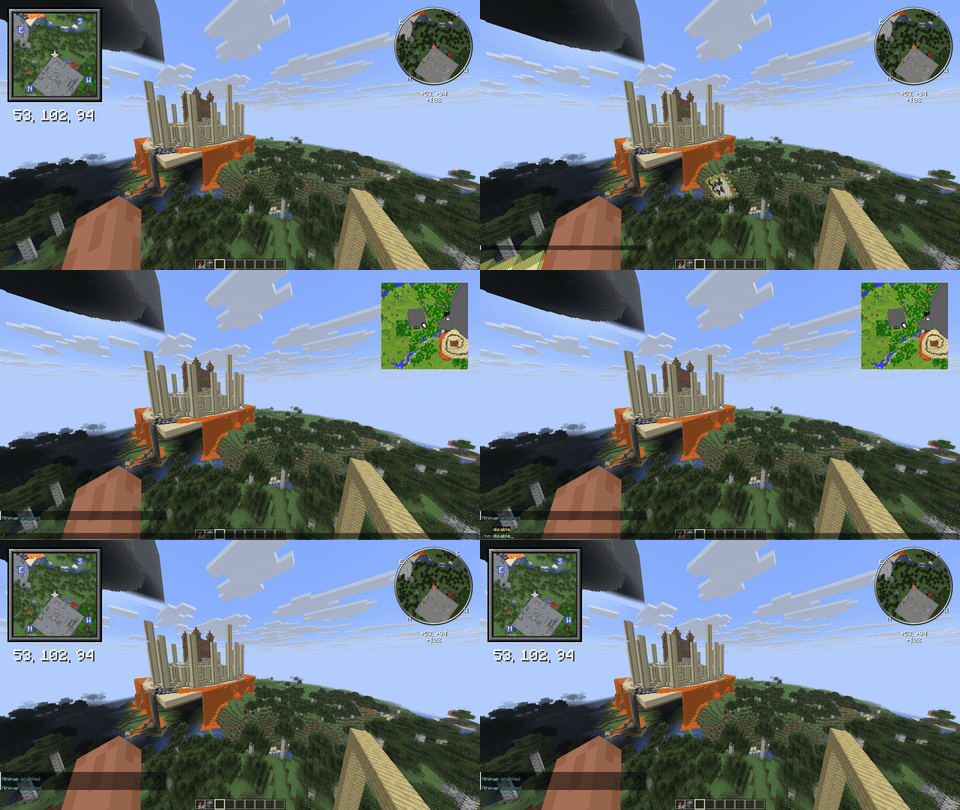
支持的模组:
* [Xaero's Minimap](https://modrinth.com/mod/xaeros-minimap)
* [VoxelMap-Updated](https://modrinth.com/mod/voxelmap-updated)
* [JourneyMap](https://modrinth.com/mod/journeymap)
* 其他模组要么不具备此功能,要么未公开文档
#### 已知不兼容项
* [ImmediatelyFast](https://modrinth.com/mod/immediatelyfast) - 将所有地图存储到同一图集中,破坏了光影包逻辑
### 工作原理
#### 地图
插件生成基于数据包的隐形物品展示框,其中放置地图,并以特殊序列在第一行渲染。光影包检测到此行后,将地图放置在屏幕角落。原版地图仍可正常使用(除用于显示的那张地图ID外,该ID可配置)
第一列地图也被禁用以保持对称
#### 标记点
标记点图片的四个角有特定颜色的像素。针对每种地图样式和屏幕角落组合,都会创建一张图片,共四张
同时,图片颜色也被使用:红色代表地图上的X坐标,绿色代表Y坐标,蓝色代表标记旋转角度
### API
修改玩家的小地图设置
```java
public void changeSettings(Player p) {
var player = NMinimap.getInstance().getPlayersWithMap().stream().filter(i -> i.getPlayer().equals(p)).findFirst().orElse(null);
player.setEnabled(true);
player.setScale(8);
player.getRight(true);
player.setRound(true);
}
```
在地图上绘制内容并添加标记点。两个事件均在每次地图重绘时触发
```java
@EventHandler
public void drawDot(AsyncMapRenderEvent event){
byte[] mapData = event.getMapData();
//地图中心
int x = 64;
int y = 64;
//仅接受ColorUtil.colors中的颜色。其他值将导致透明
mapData[x + (y * 128)] = ColorUtil.exactColor(ColorUtil.colors[10]);
int anotherX = 1;//第一行保留内部使用。第一**列**被禁用以保持对称。显示的地图分辨率为127 x 127
int anotherY = 1;
//类似已弃用的MapPalette.matchColor()。将找到最接近的颜色
mapData[anotherX + (anotherY * 128)] = ColorUtil.getNearestColor(Color.fromRGB(255, 0, 0));
}
@EventHandler
public void drawMarker(AsyncMarkerRenderEvent e){
List<NMapMarker> markers = e.getMarkers();
String markerIcon = "player";//来自NMinimap/markers目录的图标
//添加固定位置的标记
markers.add(new LocationMarker(markerIcon, new Location(e.getPlayer().getPlayer().getWorld(), 1, 1, 1)));
int positionMarkerX = 0;//接受-127到127的值。-127 - 左。127 - 右
int positionMarkerY = 0;//-127 - 上。127 - 下
int positionMarkerRotation = 0;//0到256。0指向上,128指向下
//添加相对于地图位置的标记
markers.add(new PositionMarker(markerIcon, positionMarkerX, positionMarkerY, positionMarkerRotation));
}
```
### 灵感来源
* [VanillaMinimaps](https://github.com/JNNGL/VanillaMinimaps)
* [Cartographer2](https://www.spigotmc.org/resources/cartographer-2-1-8-9-1-21-the-best-minimap-plugin-for-bukkit.46922/)
* [Minimap control](https://modrinth.com/plugin/minimap-control)
### 致谢
* [NezuShin](https://github.com/NezuShin) - 插件开发
* [DartCat25](https://github.com/DartCat25) - 着色器开发
* [DEMEMZEA](https://github.com/DEMEMZEA) - 协助撰写说明文档
### 帮助与支持
如有疑问、请求功能或报告错误,欢迎随时[提交问题](https://github.com/NezuShin/NMinimap/issues)
你也可以在[Discord服务器](https://discord.gg/rZ7gfCTr3Y)中提问
### 在Spigot上运行
Spigot是过时的服务器核心,不应在生产环境使用。不过,NMinimap仍可在Spigot上运行
主要问题在于,与Paper不同,Spigot无法异步加载区块。要在Spigot上运行,你需要将配置中的`max-render-threads`属性设为`1`。否则,服务器在生成区块时会卡死
此外,建议将`max-scale`设为1或2以降低服务器负载
[/MD]

![[支持Folia]Lapis-AuthmeReloadedFix-AuthMeRe 6.0 缺失功能补齐:防幽灵双登录 / 基岩自动登录 / PAPI 变量 / 假人(FPP)兼容](/data/resource_icons/17/17692.jpg?1786245408)
![[转载]Fake Player Plugin|假人插件|又一款假人插件|全新2.0版本](/data/resource_icons/15/15790.jpg?1774316757)

![[支持Folia]极致轻量化|拿在手上就能打开潜影盒!](/data/resource_icons/16/16961.jpg?1782571623)
![[转载][支持Folia]VoiceServer|语音服务器|用指令控制简单语音聊天MOD](/data/resource_icons/16/16939.jpg?1782477444)
![[转载][支持Folia]Networks Terminals|网络终端|AE终端!](/data/resource_icons/16/16785.jpg?1781274634)
